Main Gallery Area
New · Data & Extracts
Analytics 2.0
See how learning is going, who needs attention and what changed. For managers and admins.
Featured
How this channel works, and what to do first.
My Team (Managers)
For managers. See how your team is doing, who needs help and what's still open. You can act before a deadline is missed.
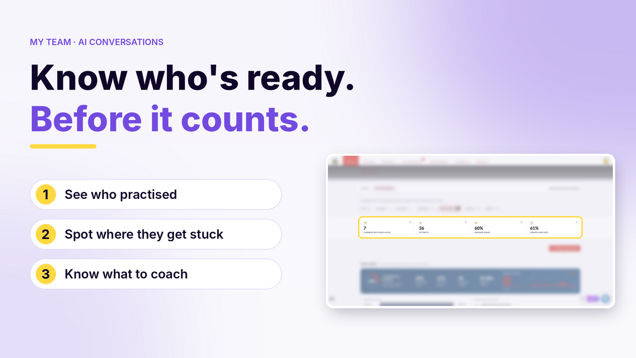
A short video tour of AI conversations in My Team. See who practised, where people get stuck, and what to coach next.
My Team works from your reporting lines.
What My Team shows you, when to use it, and what needs to be in place before it appears.
Open My Team and use the period buttons to see participation, learning hours and grades for any time period.
Use Team breakdown to see each direct report with everyone below them, and open a row to see the people beneath.
Use Drill in Results by direct report to see My Team from a manager below you, then go back to your own team.
Open Details for a direct report to see engagement, accuracy, knowledge growth, what stands out, and their assigned and open learning.
Use Results by course to find a course, see how your team did on each step, and see who has not started.
Use Results by certification at the bottom of My Team to see due dates, who has finished, and results by step.
Download a CSV of results by direct report from My Team.
Use the AI Conversations tab in My Team to see team health, the readiness funnel, and the weakest and strongest skill for each role-play.
Analytics Suite (Admins)
Prove training works. Learning Health, Analytics Explorer and Goals show what's happening and what it's worth. We report against ISO/TS 30437.
The three analytics tools in the admin, what each one is for, and when to pick which.

How Learning Health lines up with the four classic levels of training evaluation, and which ones the platform fills in for you.

What the ISO learning metrics standard is, what it is not, and how to read the clause numbers and badges in Learning Health.
The settings Learning Health needs from you: reporting lines, category flags, your learning team, cost of learning and goals.

The things that confuse people the first time they read Learning Health, Analytics Explorer and the reports.
Turn on the Leadership development or the Compliance and ethics flag on a course category so the leadership and compliance numbers in Learning Health fill in.

Flag the group that holds your learning team, and mark anyone who does that work full-time as a Dedicated Learning Practitioner.
Add a quarterly cost of learning so Total cost of learning and cost per learner can be shown.
Read the Learning Health cards, then open the Full scorecard to see every ISO/TS 30437 metric by month with its clause number and where the number comes from.
Use the What changed panel on Learning Health to see the biggest movers for the period and open the detail behind each one.

Use How good is the learning to spot courses with low step grades or lagging completion, and Where is the learning happening to see which categories people use.
Open a Goal under Is it moving the business to read the four levels, see what to do next, and check the plan against where it is now.
Pick a manager in Analytics Explorer, see each team under them, and drill down to find where participation is low.
Open View learner from Analytics Explorer to see one person's play time, grades, knowledge growth, ranking and every step they played.
Use the Reports page to search and filter 20 reports, and read what each one contains before you run it.
Use the User last activity report to see when each learner last logged in and last completed a step.
Use Certification completion for a name-by-name list of who is certified, and the Certifications audit for full play-by-play evidence.
Use the Admin permissions report for an access review: one row per admin with a Yes or No for every right.